
On this page

Why you need to set up a Business Profile
Before you can notify about Working with Children (WWC) Clearance holders, you need to create a Service Victoria account and Business Profile.
Before you start
Make sure you have:
- your ABN (Australian Business Number) or your registered business name
- your head office details including the business name and contact details
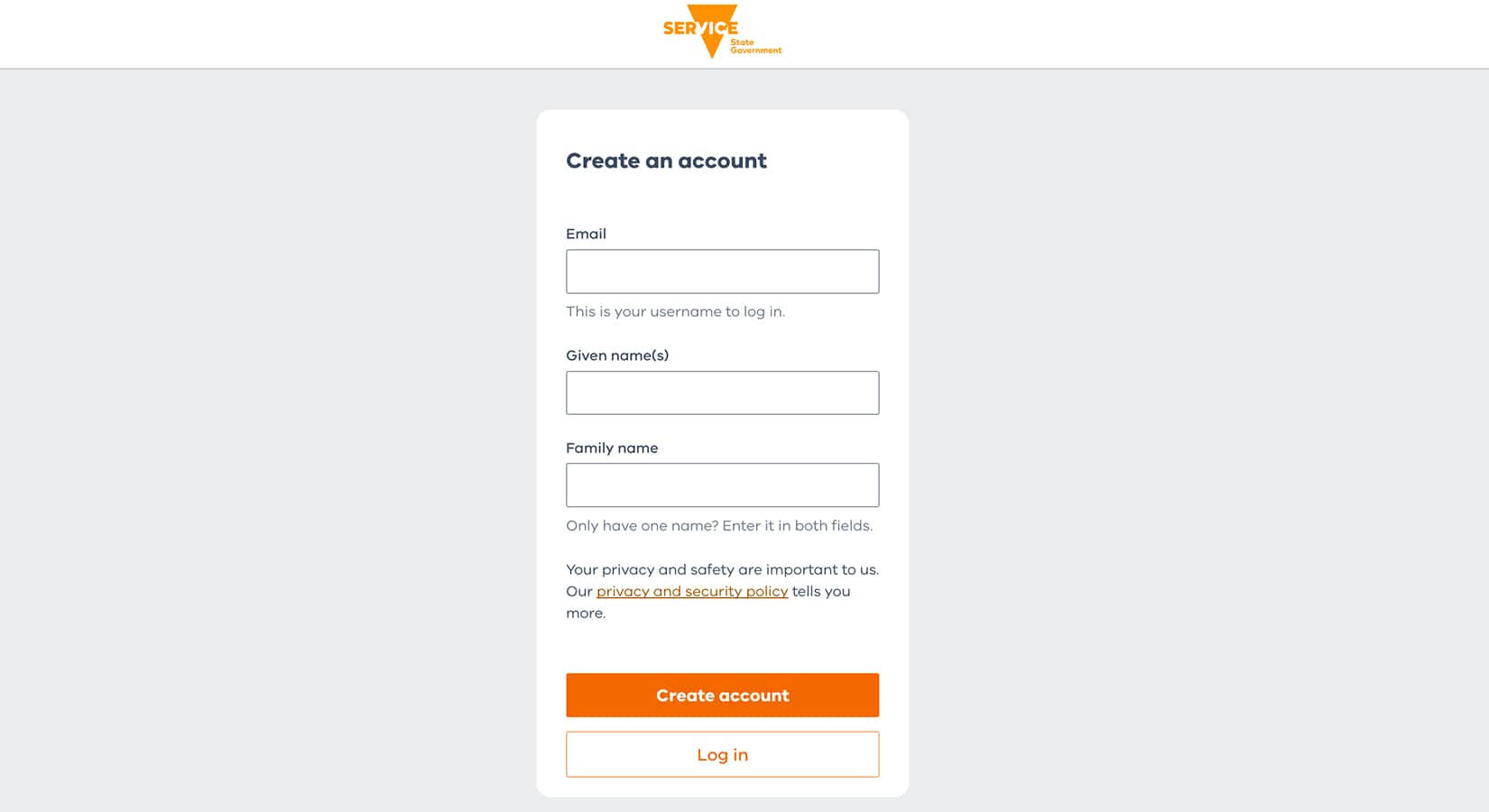
1. Create a Service Victoria account
Start by creating an account so you can register your business.
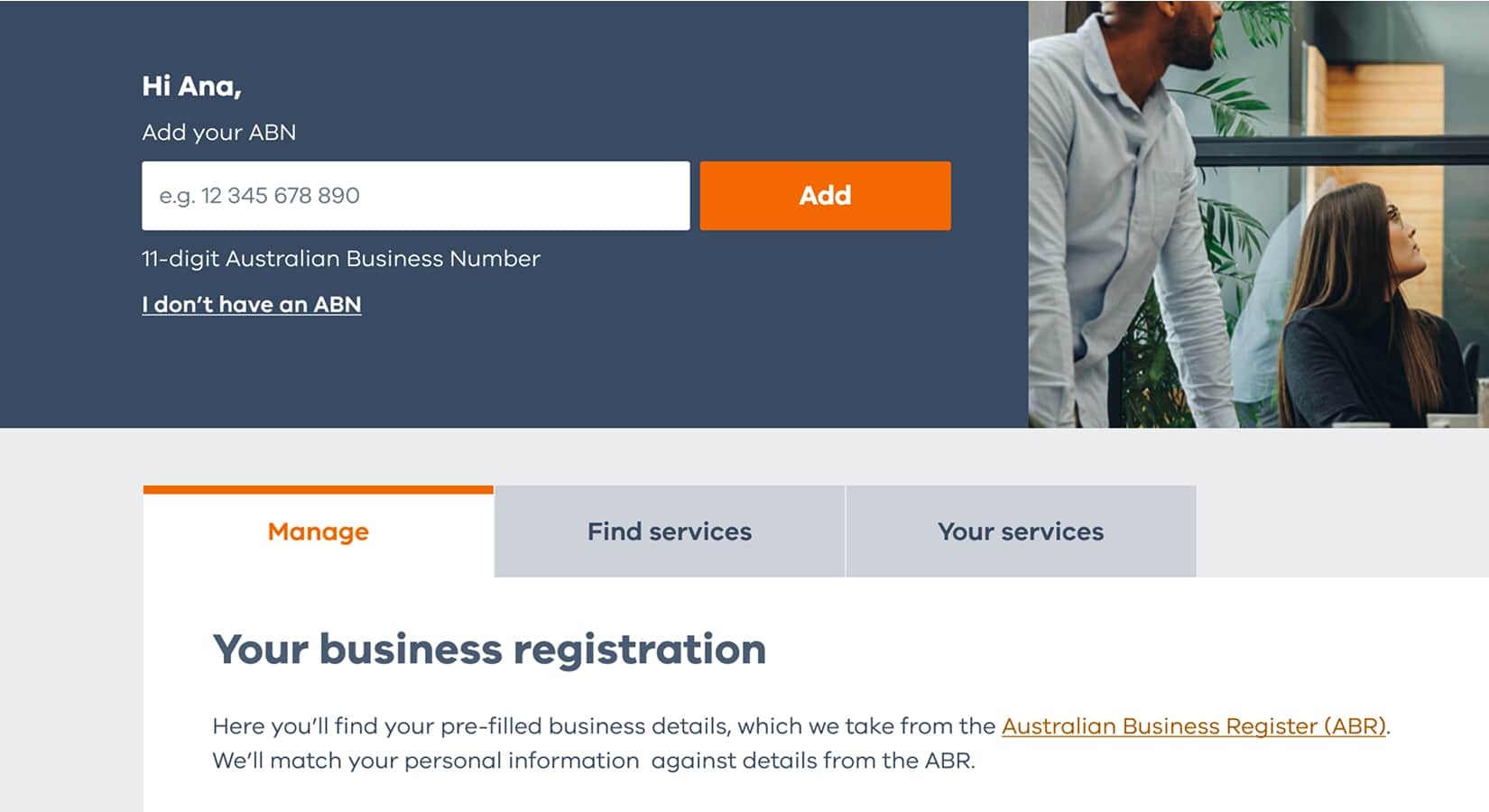
2. Set up your organisation with ABN
Add your ABN so your business information can be found automatically.
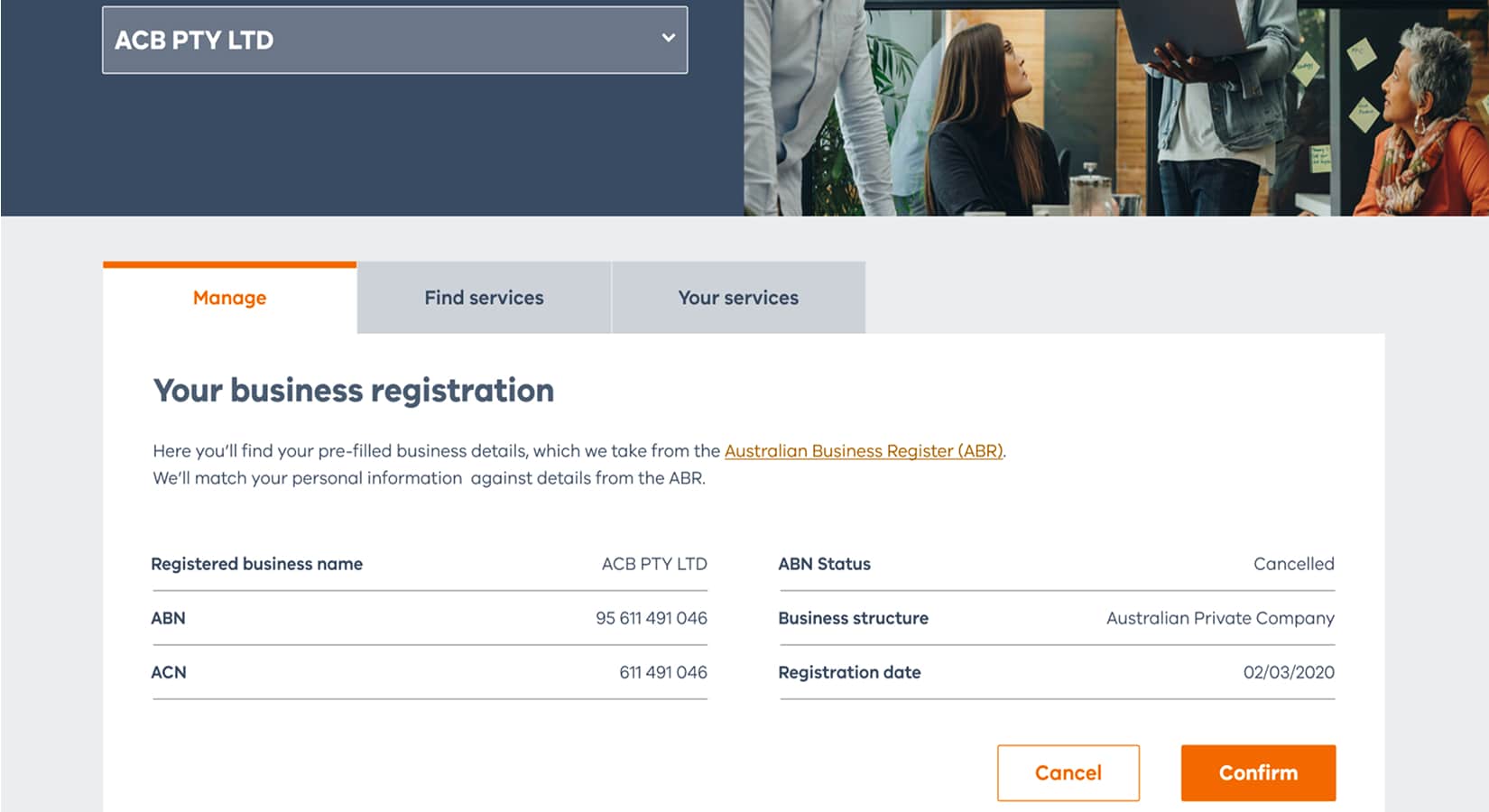
2.1. Confirm your business details
Review the business name, ACN, ABN status, business structure and registration. If they’re correct select ‘Confirm.’ If there’s a problem, contact the Australian Business Register.
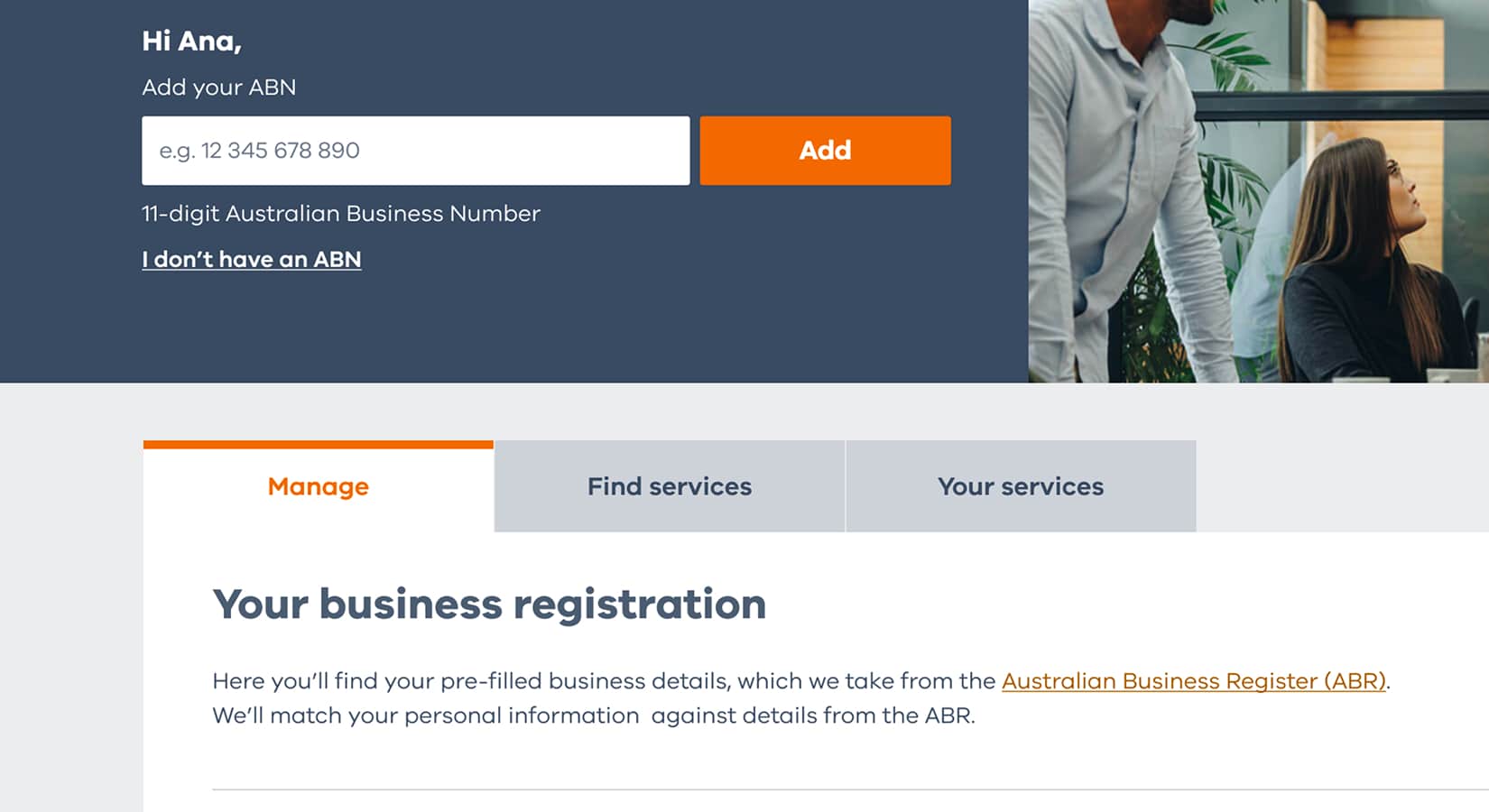
2. Set up your organisation — no ABN
Don’t already have an ABN? Choose ‘I don’t have an ABN’. We’ll guide you through what you need to do.
3. Provide official business name
Enter your business name.
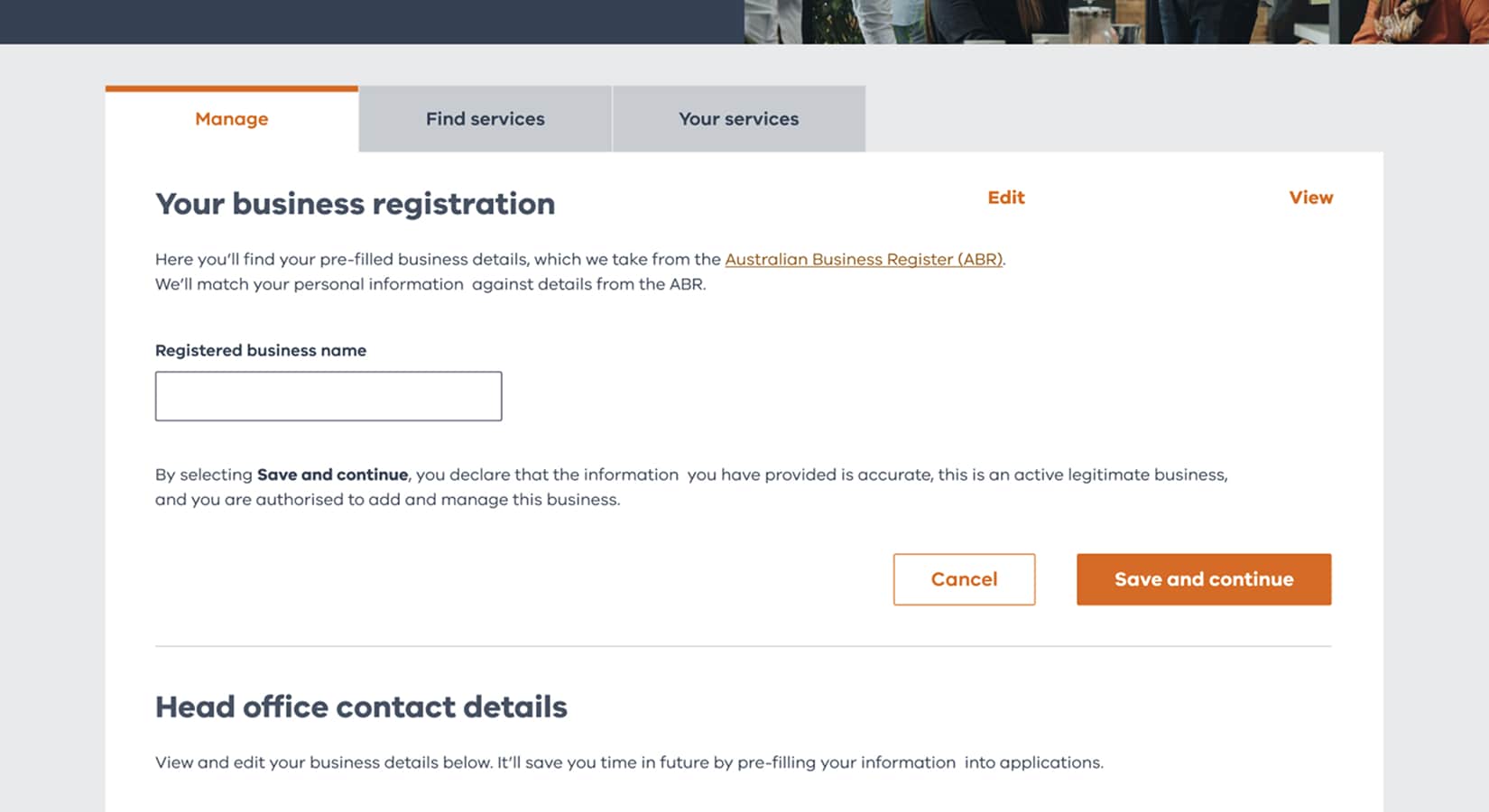
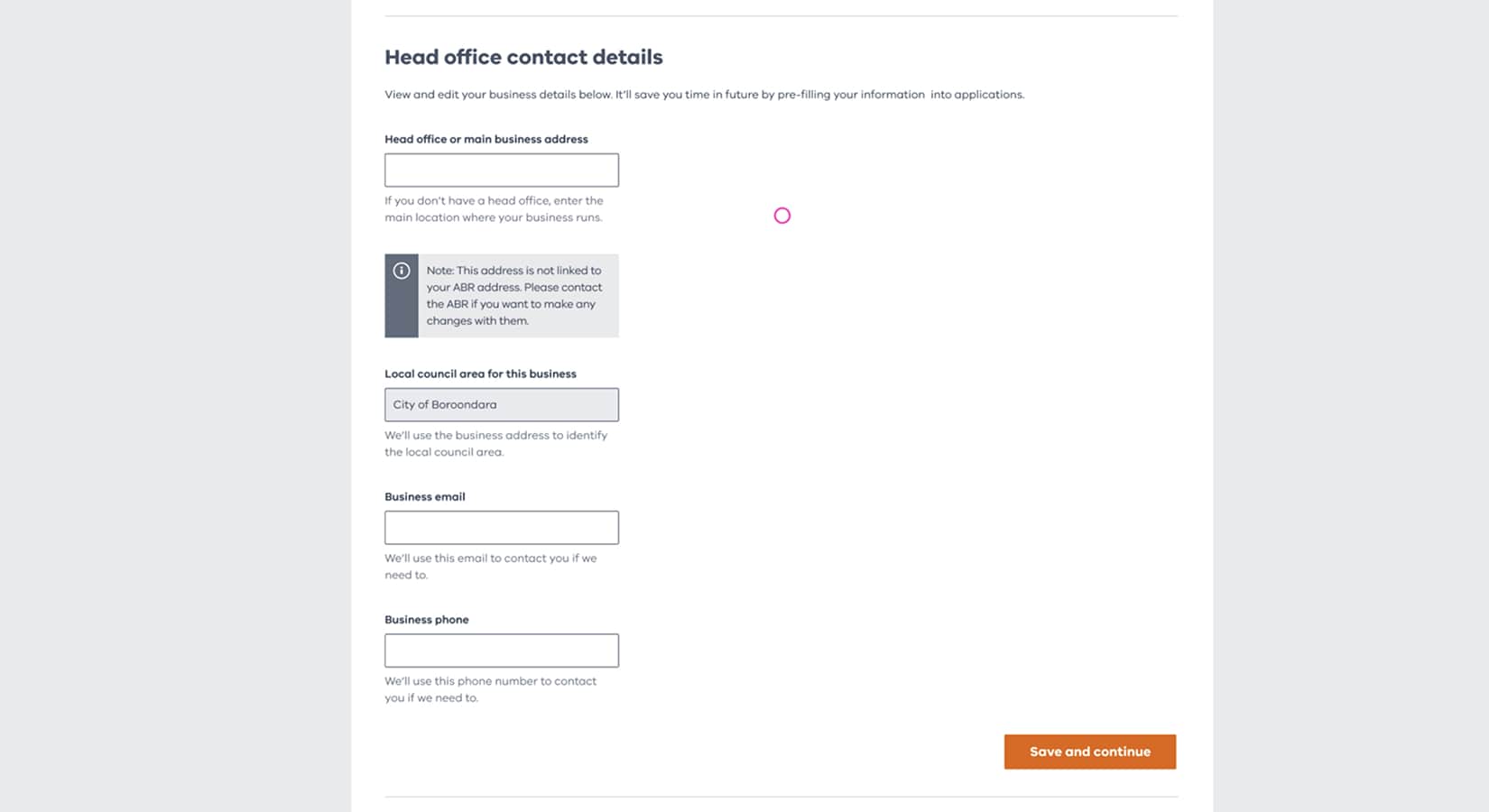
4. Provide head office details
Enter your head office information.
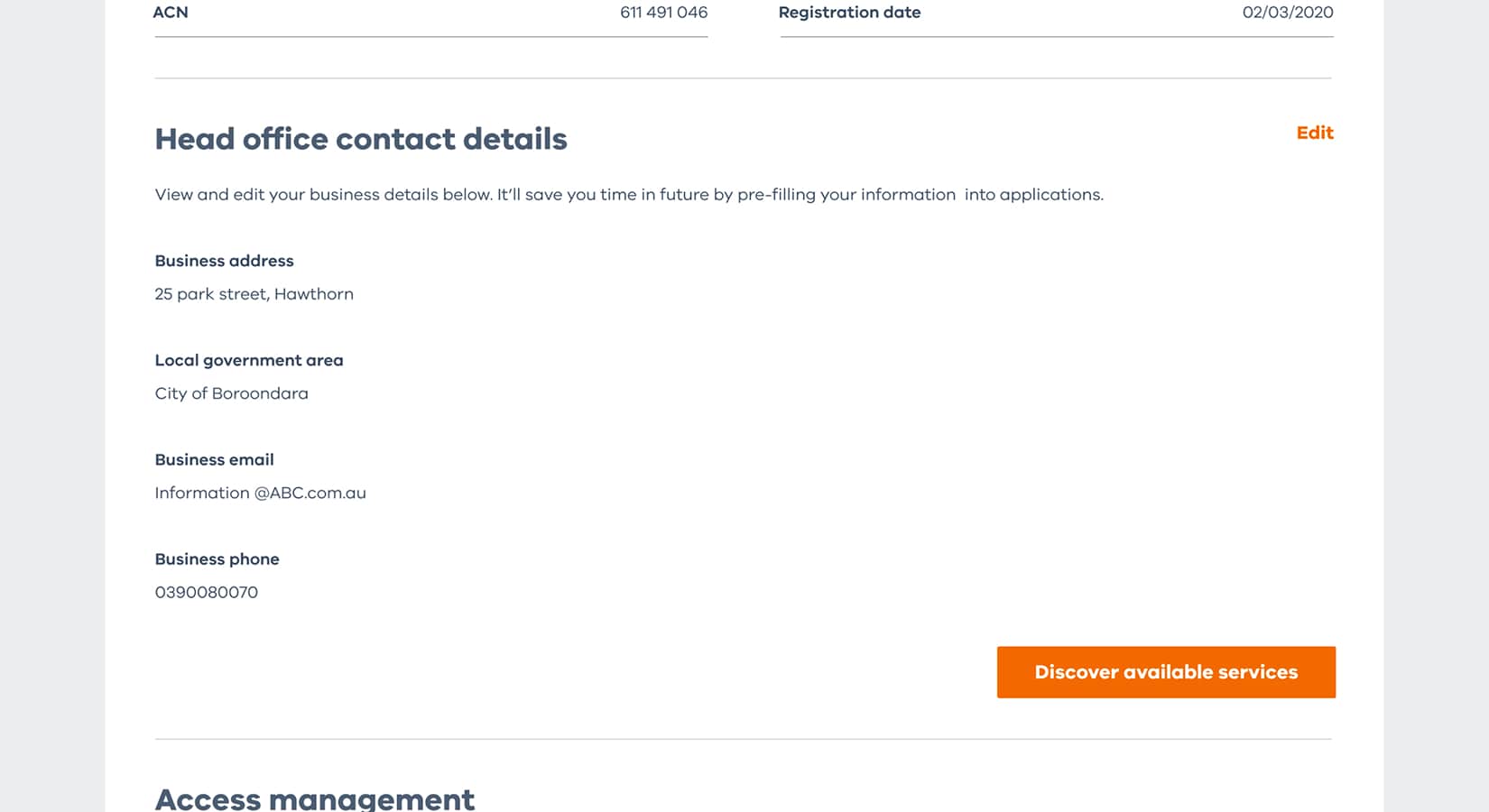
5. Go to ‘Find services’ to find ‘applications and registrations’
To set up different kinds of reporting — for example, reporting worker WWCC or VIT clearance status — choose ‘applications and registrations’ from the ‘Find services’ menu.
6. Apply or register for services
Choose whichever services apply from the main dashboard.
For WWCC/VIT reporting, choose ‘Report worker’.
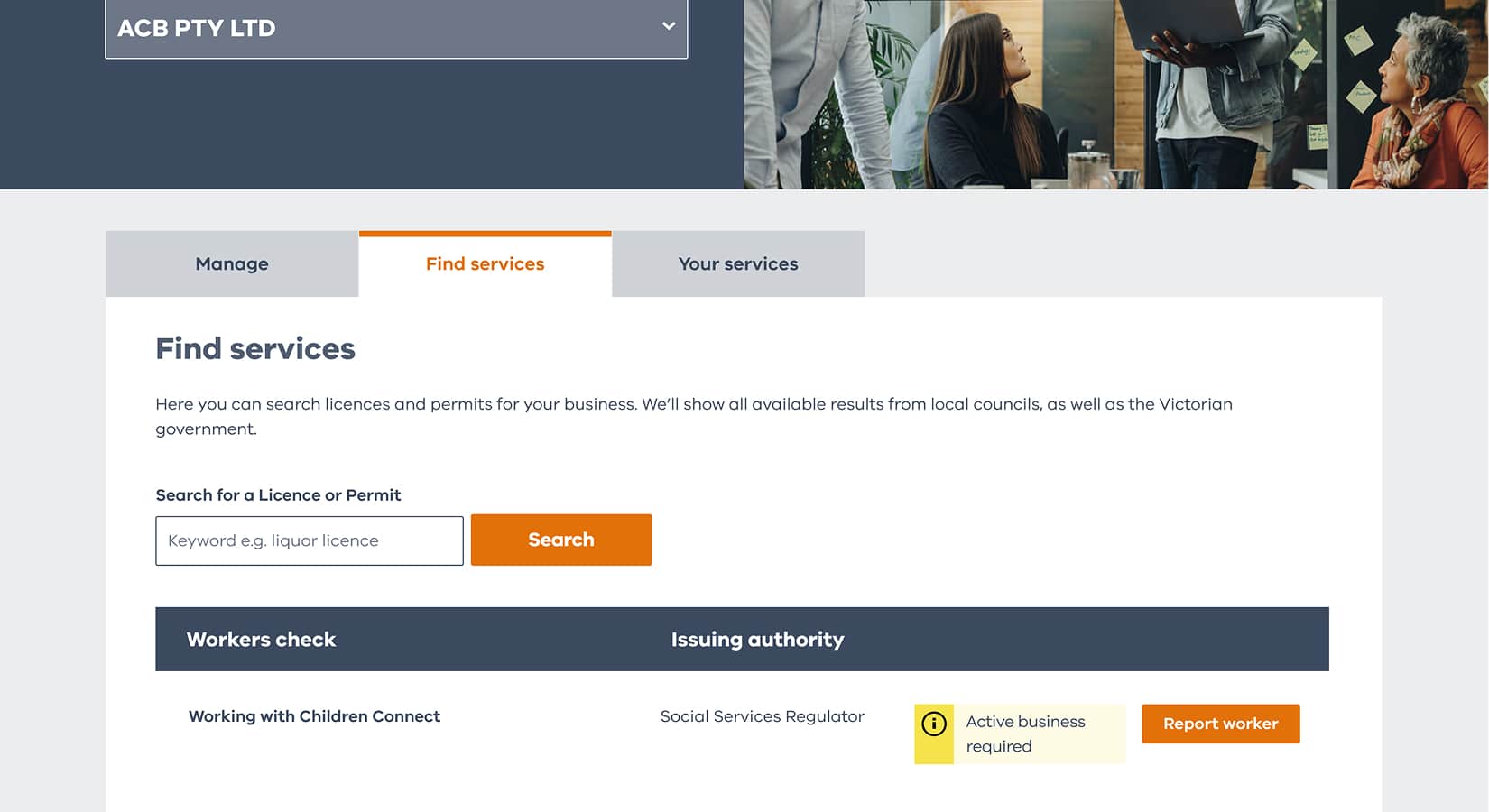
Search by application or registration
Use keyword search to find the industry registration you need to apply for or record information about.
For example, to report worker WWCC statuses to the Social Services Regulator, you could enter ‘WWCC’.
How to set up a Business Profile — video guide
Need more help? Watch our step-by-step guide to learn how to set up a Business Profile.
Get help with registering and reporting
Have questions about registering and reporting? Choose a category to learn more.



FAQ
Get answers to your questions about Working with Children Connect and more.